


Automated Phishing Simulations – A Practical Walkthrough
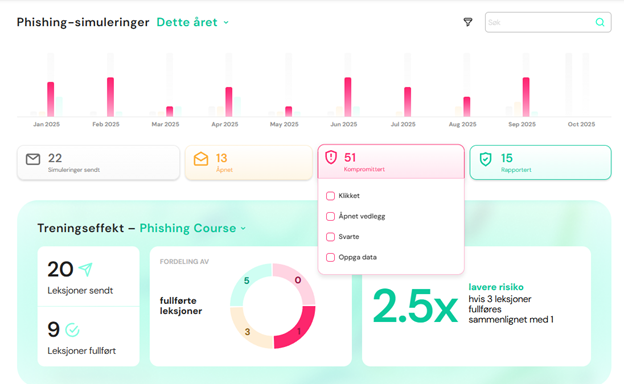
How automated phishing simulations work with XtraMile
XtraMile offers an industry-leading solution for simulated phishing attacks. The entire process is automated — from campaign distribution and adaptive difficulty to full reporting and actionable insights.
This article shows how it works in practice. In short:
-
All employees receive simulated attacks every 14 days or once a month.
-
Difficulty is adapted to each individual. When an employee successfully identifies an attack, the difficulty increases. If they are “caught,” the difficulty is reduced in the next simulation.
-
Attacks are tailored to your organization:
-
You choose which attack categories to run
-
Whether simulations are sent during working hours, evenings, or weekends
-
Whether the attack vector should be targeted to specific employees
-
-
Employees receive immediate feedback if they are compromised by an email. They see how the attack could have been identified and are given an opportunity to learn.
-
Employees are automatically enrolled in IT security training if they are not already part of a learning path.
-
Reports provide full visibility. Administrators see everything, while managers only see their own employees. The reports include all relevant data — from high-level risk reduction to deep-dive insights into how training impacts security across the organization.
A Practical Walkthrough
1. User receives a phishing email 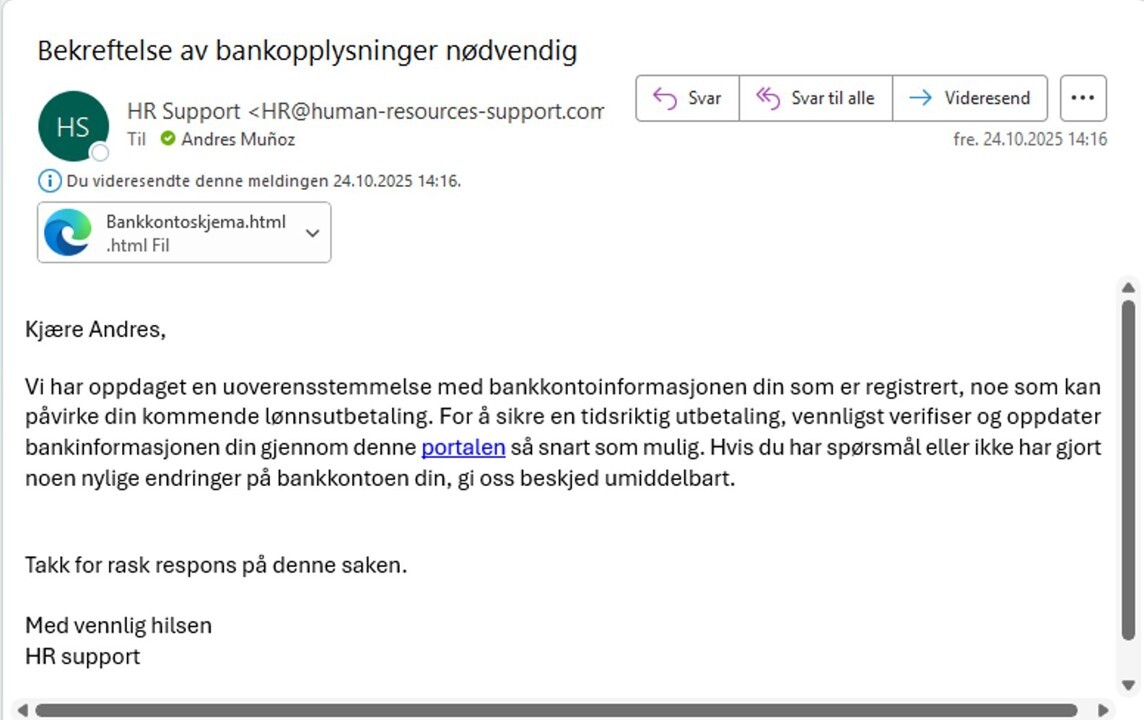
E-mail phishing
The user can either:
-
Click the link
-
Submit information
-
Download an attachment, or
-
Report the email
2. If the user is compromised
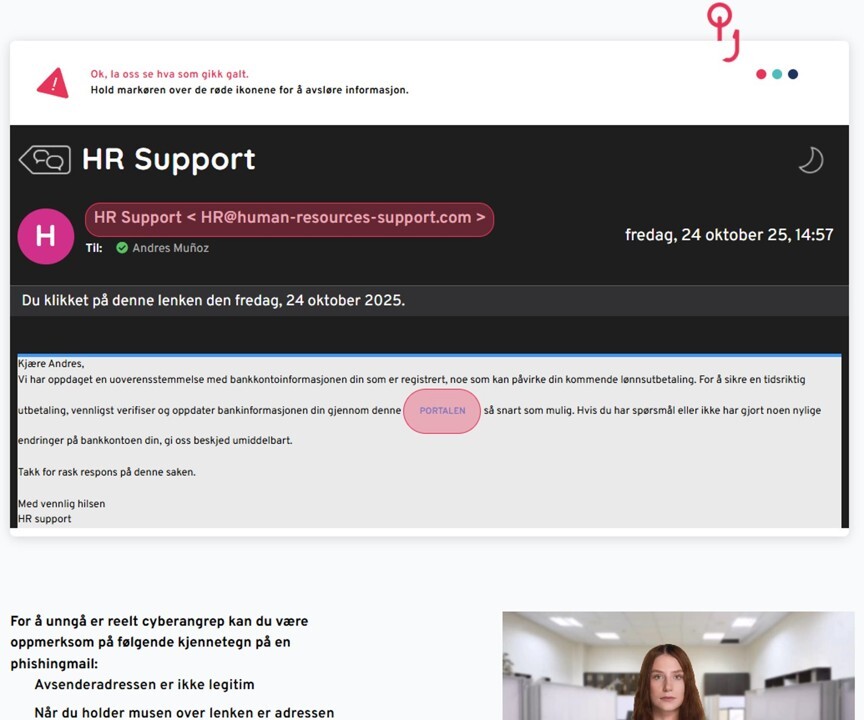
If a participant is tricked by the email, the following happens:
E-mail phishing – compromised
1. Immediate learning
The user receives a clear explanation of what they should have checked in the email they interacted with.
2. Automated course enrollment
The attack can trigger automatic enrollment in an e-learning course, webinar, classroom training, or notify the employee’s manager.
Video illustration: What it looks like when you are “tricked”
3. Reporting an attack
When a participant reports an email, they receive immediate feedback:
-
If the email is a simulation from XtraMile, the participant receives a confirmation.
-
If it is another email, it is sent to XtraMile’s email service for analysis to determine whether it is phishing. This assessment can also be shared with the customer if desired.
Video illustration: Reporting an attack
4. Reports provide full insight
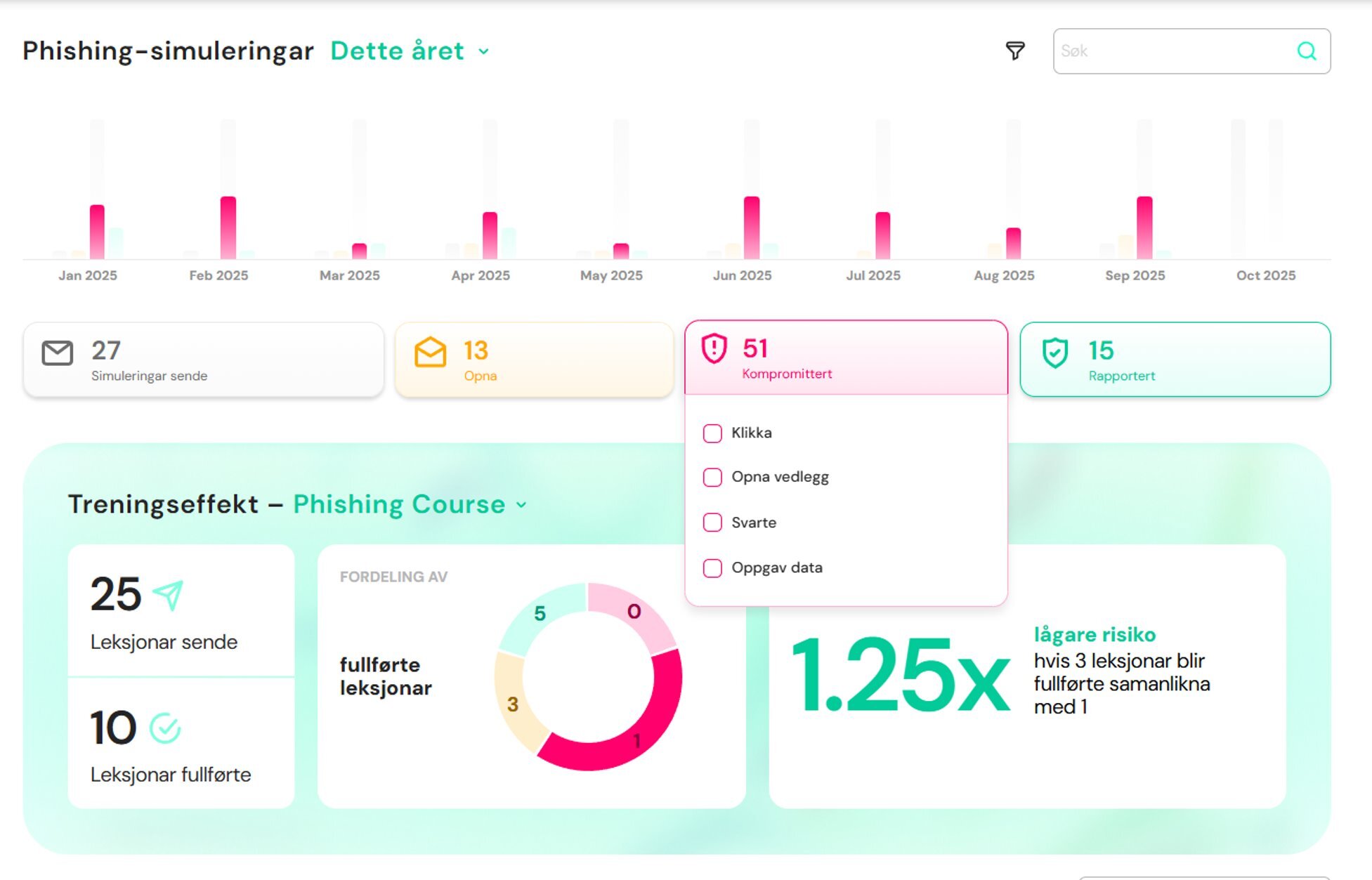
As an administrator, you have continuous, full visibility into phishing results:
-
Number of simulated emails sent
-
How many were opened, clicked, or reported
-
Which departments or users have improved over time
-
Ability to select time periods (e.g. “Last month” or “This quarter”) and filter by department or team
The reports clearly show how training reduces organizational risk over time. Managers only see their own employees, and you can either explore detailed insights or get a quick overview — all in one place.
Summary
Phishing simulations with XtraMile provide a safe, automated, and educational way to strengthen your organization’s security culture. With tailored exercises, immediate learning, and clear reporting, you gain full control — and employees who become noticeably better at identifying fraud.
The result: Less risk. More confidence. And an organization that stands stronger against digital threats.