


Certificates in XtraMile.

Gather all certificates in one place
With XtraMile Certificates, your organization gets a comprehensive and up-to-date overview of your employees’ certificates, approvals, and documented competencies.
The solution collects certificates from courses completed in XtraMile, but also makes it easy to register any relevant external certificates that employees may have.
Administrators and managers can track status and validity, verify that competency requirements are met, and set up automatic reminders before certificates expire.
The result is better control, less manual work, and a more reliable basis for reporting and competency management.
Benefits for Managers and Organizations
Quick overview of certificate status
XtraMile provides a comprehensive overview of the certifications within the organization. You can quickly see which certifications are active, nearing expiration, expired, or not yet obtained.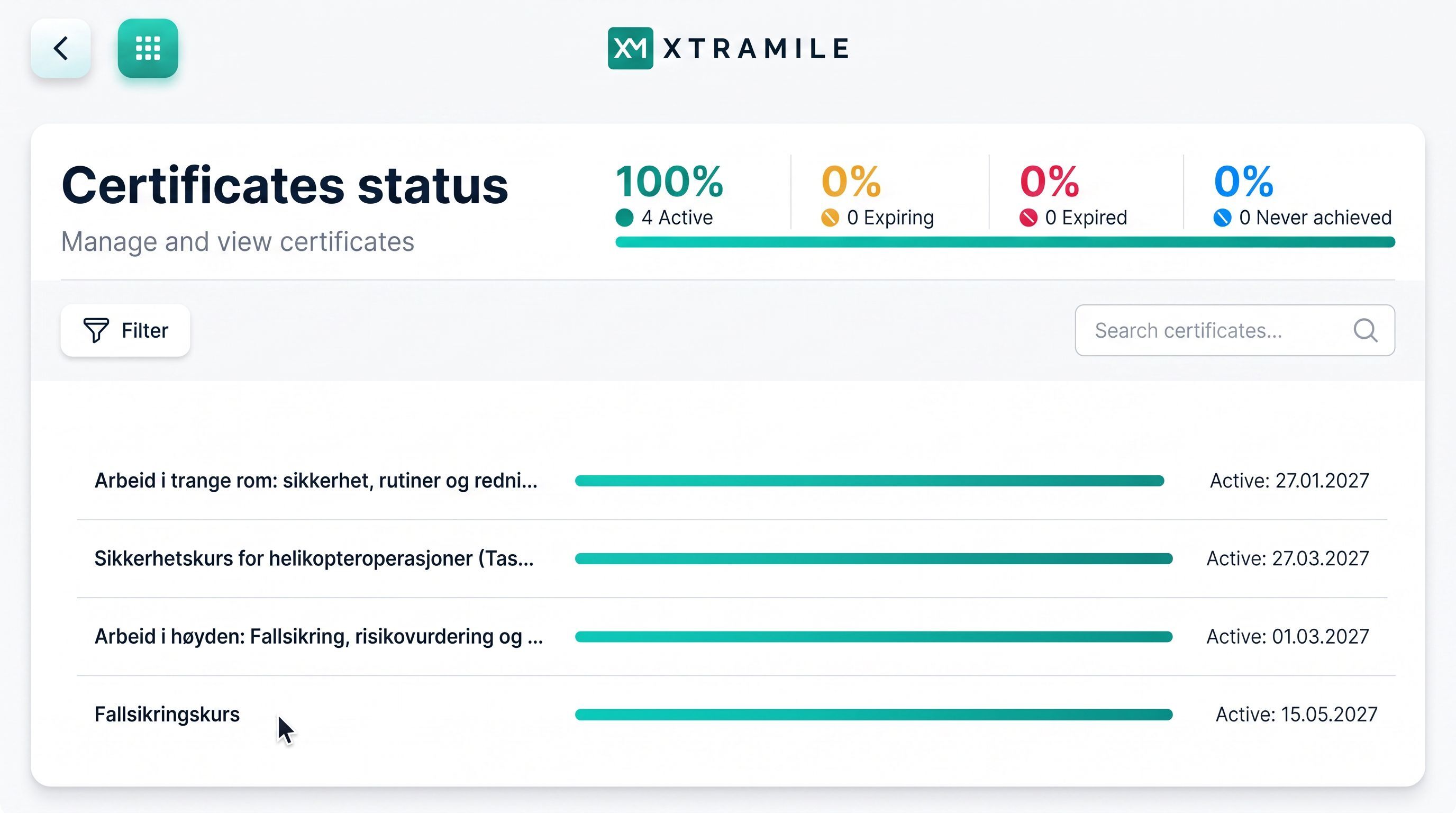
The overview can be filtered by certification, category, certification level, department, group, or individual employee. This makes it easier to identify gaps, prioritize follow-up, and document that necessary competency requirements are met.
Easily manage your organization’s certifications
Administrators determine which certificates should be available within the organization. You can create your own certificates, use certificates from a shared registry, and organize them into relevant categories.
Certificates can be classified as legally required, mandatory for the organization, or voluntary. You can also specify validity and approval requirements.
A centralized and structured certificate overview ensures more consistent data and reduces the risk of duplicates and incorrect entries.
Edit and Quality-Assure Your Organization’s Certificates
Administrators can open and edit the information for each individual certificate. This includes, among other things, name, category, issuer, certificate level, date obtained, expiration date, and associated documentation.
This ensures better data quality and makes it easier to keep certificate information accurate and up-to-date.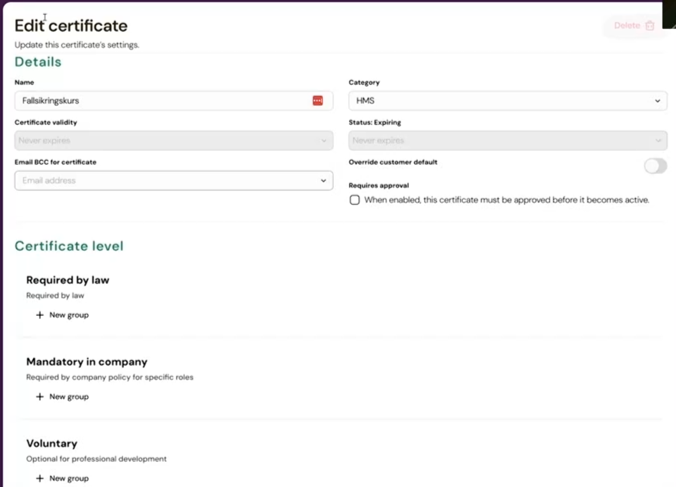
Process certificates awaiting approval
The organization decides which certificates require approval and who should process them. Approval can be performed by the employee themselves, a manager, an administrator, or a specific person within the organization.
Administrators get a comprehensive overview of pending requests and can review the information and documentation before the certificate is approved or rejected.
This ensures a clear and efficient approval process with less need for manual follow-up.
Automated Follow-Up — Reduced Time and Improved Quality
XtraMile can automatically notify employees when a certificate is about to expire. The notifications can be customized and include information on how to renew the certificate.
Automated follow-up reduces administrative burden and the risk of important certificates expiring without the organization noticing.
Link Certificates to Courses and Competency Requirements
Certificates can be linked to courses and competency requirements in XtraMile.
If an employee has already completed equivalent training with another provider, an external certificate can be used as documentation. This means the employee does not have to repeat the same training.
The organization gains a more comprehensive overview of completed training and documented competencies, regardless of where the training was conducted.
Benefits for Employees

Easily add external certificates
Employees can register and upload external certificates themselves from a mobile device or PC. The solution supports PDF files and images, among other formats.
XtraMile automatically suggests information from the document, such as certificate name, issuer, date obtained, and expiration date. The employee verifies the information before submitting the certificate.
This speeds up the registration process, reduces errors, and saves time for both the employee and the administration.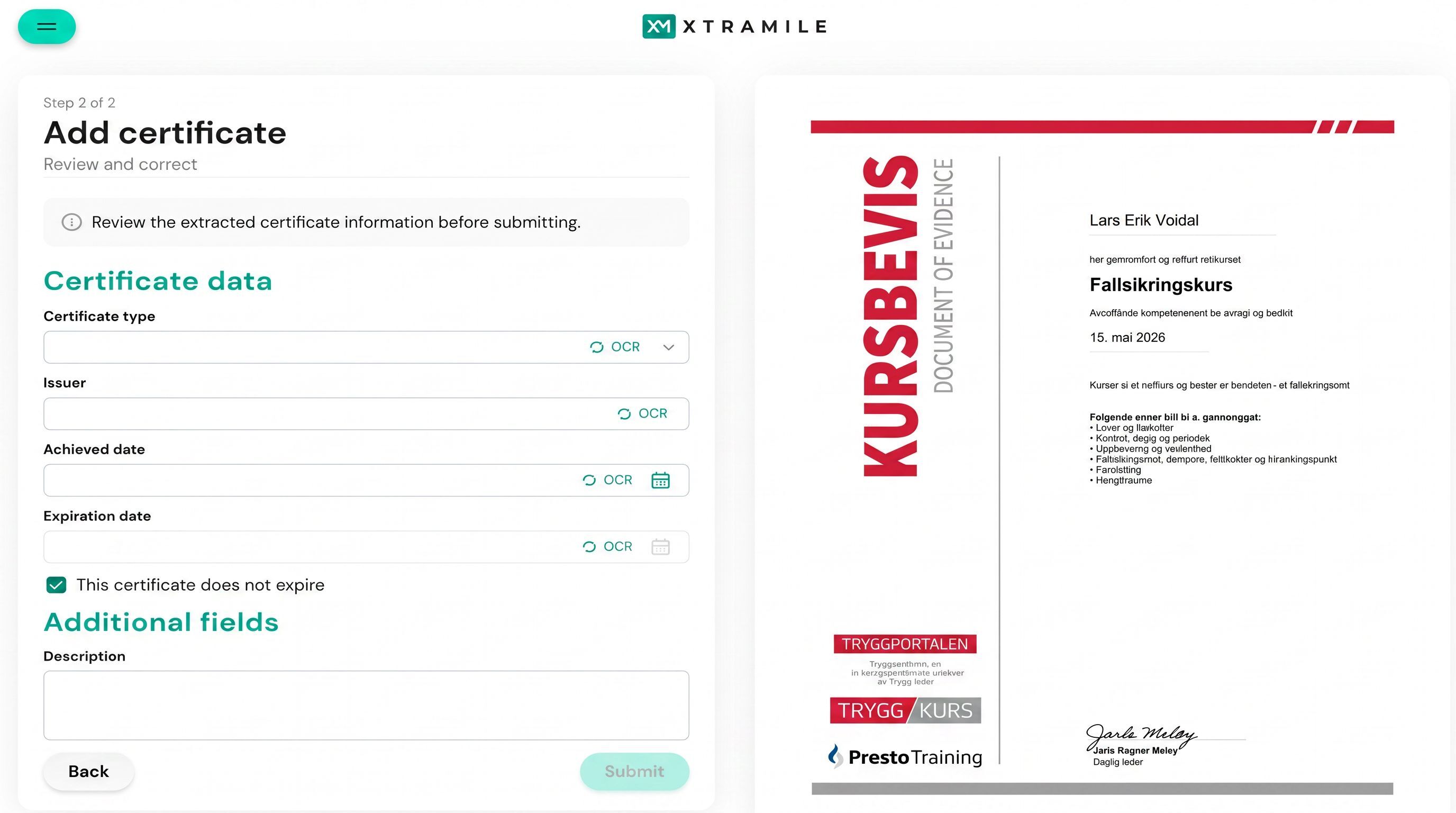
Always a complete overview of your own certificates
Under “My Certificates,” the employee gets a comprehensive overview of certificates from courses in XtraMile and external training providers.
This section displays the status, date earned, expiration date, and associated documentation. Employees thus gain better control over their own documented competencies and can see which certificates are due for renewal soon.
Track the status of submitted certificates
When a certificate requires approval, the employee can see that it is pending review. The status is updated once the certificate is approved or rejected.
This makes the process more transparent and reduces the need to contact a manager or administrator for an update.